
The safest way to send business files is a share link instead of an attachment: the file stays in one place and you decide who can reach it, with which password and until when. For documents without sensitive content, email is fine. As soon as personal data is involved, the GDPR asks for appropriate security and you need to be able to show what you have put in place.
Email attachments and their limits
Email is familiar and everyone has it. The limitations show up with large files and with documents you remain responsible for.
The size limit
Most mail services cap attachments. For a personal Gmail account the limit is 25 MB. Go over it and Gmail automatically turns the file into a Google Drive link. Outlook.com also applies 25 MB to attachments and points to sharing through OneDrive for larger files. Business mail environments can set their own limit. Our guide to sending large files explains what works for files above that limit.
No control after sending
A sent attachment is a copy you hand over. You cannot withdraw it, it does not expire, and you cannot see whether it was opened or forwarded. One typo in the address field is enough to deliver a document to the wrong person, and then all you can do is ask them to delete it.
Copies in several places
The attachment sits in your sent items, in the recipient's inbox and in the backups of both mail environments. If you later need to know where a document with client data is held, email gives you little to go on.
What the GDPR asks when files contain personal data
The GDPR does not prohibit email. The Dutch Data Protection Authority (Autoriteit Persoonsgegevens, AP) writes that the law does not spell out exactly which measures you must take, only that they must be appropriate. As examples it mentions encrypting an attachment and encrypting mail traffic between mail servers. In general terms, four obligations keep coming back.
Appropriate security
Personal data must be processed in a way that ensures appropriate security (Article 5). Article 32 elaborates: you choose technical and organisational measures that match the risk, and encryption is named explicitly as an example.
A data processing agreement
If you let a service store or send personal data for you, that service is normally a processor. Under Article 28, processing by a processor must be governed by a contract. The AP puts it briefly: you must conclude a data processing agreement with your processor. So check whether the service you use offers one for your plan.
Keep it no longer than necessary
Personal data may not be kept in identifiable form for longer than the purpose requires (Article 5). An attachment that sits in ten mailboxes for years fits poorly with that. A link with an expiry date and one central place where you can clean up help you live up to it.
Report and record data breaches
If personal data ends up with the wrong recipient, that can be a data breach. Article 33 says you report a breach to the supervisory authority without undue delay and, where feasible, within 72 hours, unless a risk to the people concerned is unlikely. You must also document every breach yourself. It helps a great deal if you can see whether a file was downloaded or not.
This is a summary in general terms and not legal advice. For your own situation, turn to your data protection officer, your trade association or a lawyer.
Checklist: choosing a tool
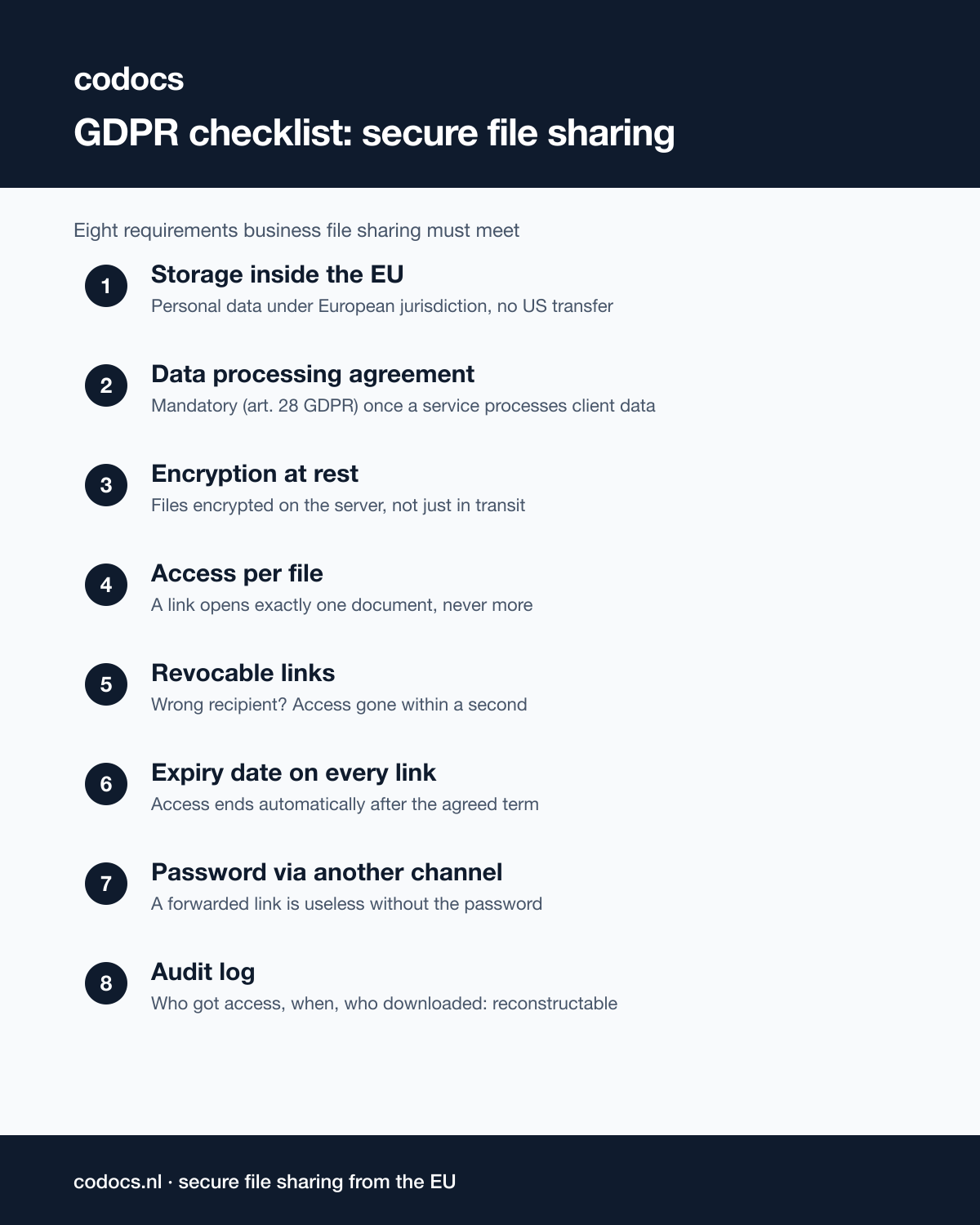
Hold every service you consider up to these eight points:
- Storage inside the EU. Do you know which country the files are held in, and does that apply to every upload?
- Data processing agreement. Is it available on your plan, and can you keep a copy with your records?
- Encryption at rest. Are files stored encrypted on the server, and not only in transit?
- Access per file. Does a link open only what you mean to share, and not your whole account?
- Revocable links. Can you end access immediately when something goes wrong?
- Expiry date. Does access stop by itself after the agreed period?
- Password through another channel. Can you set a password that you pass on by phone or text, so a forwarded link is worth nothing?
- Audit log. Can you see afterwards who was given access, when, and who downloaded?
How codocs covers these points is set out on GDPR-proof file sharing. If you are comparing with a transfer service, also see our article Is WeTransfer safe for business use?.
Step by step with codocs
codocs is a platform to store and share business files. Files are held in the EU and encrypted at rest with AES-256, with a unique key per file.
1. Upload to a folder
Create a folder per client or per matter and drag the files in. You can upload several files at once.
2. Share by email with a link per recipient
Select the file or the whole folder and enter the email addresses. Each recipient receives a unique link of their own. Recipients do not need an account and can download a shared folder as a single zip.
3. Set the limits
Give the link an expiry date, a password and, if you like, a maximum of 1, 3 or 10 downloads. Pass on the password through a different channel from the email that carries the link.
4. Follow what happens
You receive an email at the first download per recipient. The audit log shows uploads, shares, link opens, downloads and logins, with time, IP address and browser.
5. Revoke and tidy up
When the work is done, or the address turned out to be wrong, revoke the link. The file itself stays in your account until you delete it.
One file, sent quickly
For a one-off delivery there is quick send: one file to up to ten recipients, valid for 3, 7, 14 or 30 days. By default the file is removed after the links expire, unless you choose to keep it.
Storing or sending: what do you need?
A transfer service solves one problem: getting a file from A to B. After that the link expires and keeping the document is up to you again, often in a mailbox or on a laptop.
Many business documents live longer than that. You share a contract at signing, at renewal and in a dispute. Annual accounts go to your accountant, your bank and sometimes a buyer. If the document sits in one place and you issue a new link each time, you do not have to send it again and you know which version is the right one.
So ask yourself for each type of document: is this a one-off delivery, or something I want to keep and share again later? How long you have to keep something remains your own responsibility: at codocs a file stays until you delete it.
The emphasis differs per profession. See for example file sharing for accountants and file sharing for HR and payroll.
Frequently asked questions
Am I allowed to send personal data by email?
The GDPR does not forbid it. You do have to take appropriate measures, and the more sensitive the data, the more is needed. The Dutch DPA mentions encrypting the attachment or the mail traffic as examples.
Do I need a data processing agreement?
If a service processes personal data on your behalf, the GDPR requires a contract. At codocs, customers can download the data processing agreement as a PDF.
What do I do when a file reaches the wrong recipient?
Revoke the link straight away and check the log to see whether anything was downloaded. Then assess whether it is a breach you have to report, and record the incident in any case.
What does it cost?
codocs has a free plan with 1 GB of storage. Pro costs EUR 4.95 per month with 25 GB and Business EUR 15 per month with 100 GB, VAT included.
Conclusion
Start small: pick one type of document that matters, such as contracts or payroll data, and agree that it no longer leaves the building as an attachment. With one fixed place, a link per recipient and a log, the questions the GDPR asks become much easier to answer. Create a free account or look at the plans and pricing.